Chapter 9 · GTK 4 with PyGObject
Audio and Video with GStreamer
Every listing in this chapter is a file under
examples/gtk4/multimedia/. They are run on each build, against a three-second test clip the examples generate for themselves, so nothing here depends on a media file you have to find.
Introduction
GStreamer is the multimedia framework the Linux desktop is built on. It plays files, streams from the network, captures from a camera, transcodes, mixes, records, and can be assembled into things that are much stranger than any of that. This chapter covers the small part of it that an application usually needs.
Start with the good news: for playing a file in a window, you may not need
GStreamer at all. GTK 4 has playback built in. Gtk.MediaFile is a media stream
backed by GStreamer, and Gtk.Video is a widget that shows one. That is a page of
code for a working video player, and it is where this chapter starts.
The rest of the chapter is the layer underneath, for when the built-in player is not enough: pipelines, the bus, inspecting files, and converting them.
Everything here is GStreamer 1.0. The 0.10 series that the previous edition covered has been gone for over a decade; the module names, the element names and the state machine all changed, and nothing written for it will run.
# Debian, Ubuntu
sudo apt install python3-gi gir1.2-gstreamer-1.0 gir1.2-gst-plugins-base-1.0 \
    gstreamer1.0-plugins-good gstreamer1.0-plugins-bad gstreamer1.0-libav
The plugin packages matter more than the library. good is what you want,
bad is where a lot of useful-but-less-polished elements live, and libav
carries the codecs that make ordinary video files play.
Gtk.MediaFile needs one more package, and its absence is quiet:
sudo apt install libgtk-4-media-gstreamer
GTK’s media support is a loadable backend, not part of the library. Without it
Gtk.Video shows a “no media” symbol, get_duration() stays at zero and nothing
is logged — the file looks unplayable when the problem is that GTK has nothing to
play it with. If a file plays with gst-launch-1.0 and not in your window, this
is why.
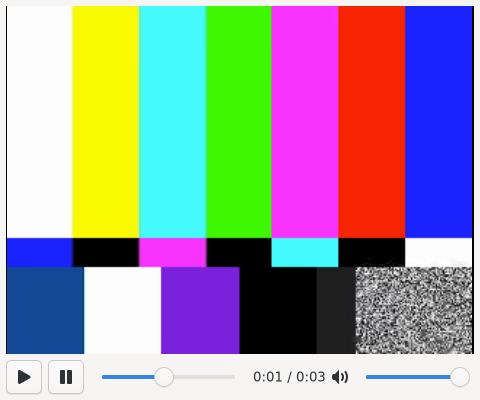
A video player
media = Gtk.MediaFile.new_for_file(Gio.File.new_for_path(path))
media.set_loop(True)

video = Gtk.Video(media_stream=media)
media.play()
That plays a file. Gtk.Video draws the frames, handles fullscreen and shows its
own controls if you do not supply any.
Gtk.MediaStream reports through properties, not signals, so watching it is
notify:::
media.connect("notify::timestamp", self.on_timestamp)
media.connect("notify::error", self.on_error)
Positions and durations are in microseconds. get_duration() returns 0 until
the file has been opened far enough to know, so guard the division:
duration = media.get_duration()
if duration <= 0:
    return
fraction = media.get_timestamp() / duration
Seeking is one call, and worth checking first — a stream from the network may not be seekable:
if media.is_seekable():
    media.seek(int(fraction * duration))
The one piece of fiddliness in a player is the position slider, because it is both
an output and an input. Setting its value from the timestamp fires
value-changed, which seeks, which changes the timestamp. Block your own handler
while you write to it:
self.position.handler_block_by_func(self.on_seek)
self.position.set_value(fraction)
self.position.handler_unblock_by_func(self.on_seek)
Errors arrive on the error property rather than as an exception, since decoding
happens on another thread:
def on_error(self, media, _pspec):
    error = media.get_error()
    if error is not None:
        self.status.set_text(f"error: {error.message}")
The full example is examples/gtk4/multimedia/video-player.py.
Pipelines
Under Gtk.MediaFile is a GStreamer pipeline, and three ideas cover most of what
one is:
Elements do one thing each — read a file, demux a container, decode a stream,
resample audio, put frames on screen. Gst.ElementFactory.make("audiotestsrc", "source")
creates one.
Pads connect elements and negotiate the format that flows between them. Linking
two elements fails if they cannot agree, which is why link() returns a boolean
worth checking.
The bus carries messages back out of the pipeline — errors, warnings, state changes, end of stream — onto your main loop. Decoding happens on other threads; the bus is what makes that safe.
Gst.init(None)

pipeline = Gst.Pipeline.new("tone")
source = Gst.ElementFactory.make("audiotestsrc", "source")
convert = Gst.ElementFactory.make("audioconvert", "convert")
sink = Gst.ElementFactory.make("fakesink", "sink")

for element in (source, convert, sink):
    pipeline.add(element)

if not source.link(convert) or not convert.link(sink):
    raise SystemExit("the elements would not link")

pipeline.set_state(Gst.State.PLAYING)
Gst.init(None) has to run before anything else in GStreamer.
Gst.ElementFactory.make() returns None when the element is not installed — a
missing plugin package, not a typo, most of the time. Check the result; the
alternative is an AttributeError on None fifty lines later.
Building a pipeline from a string
Wiring elements up by hand is worth doing once. After that, parse_launch() takes
the same syntax as the gst-launch-1.0 command line:
pipeline = Gst.parse_launch(
    "videotestsrc num-buffers=90 ! video/x-raw,width=320,height=240 "
    "! vp8enc ! webmmux ! filesink location=sample.webm"
)
This is how you should prototype. Get it working on the command line with
gst-launch-1.0, where you can iterate in seconds, then paste the string into
parse_launch(). Gst.parse_launch accepts named elements
(webmmux name=mux) so you can fetch one later with
pipeline.get_by_name("mux") and set properties or connect signals on it.
The ! is a link, and a bare caps string between two elements
(! video/x-raw,width=320 !) is a capsfilter: a constraint on what may be
negotiated there. That is how you pin a resolution or a sample rate.
States
A pipeline moves through NULL → READY → PAUSED → PLAYING, and back down
again. Two things about that are worth internalising:
set_state() can return ASYNC, meaning “started, watch the bus”. It has not
failed; it has not finished either. Use get_state() with a timeout if you really
must wait.
Always come back to NULL. That is what releases the audio device, the file
handles and the hardware decoder. A pipeline left in PLAYING at exit leaks all
three, and on some systems the next program to want the sound card cannot have it.
finally:
    pipeline.set_state(Gst.State.NULL)
The bus
bus = pipeline.get_bus()
bus.add_signal_watch()
bus.connect("message", on_message, loop)
add_signal_watch() is what attaches the bus to the main loop. Without it the
message signal never fires and you sit there wondering why nothing happens.
def on_message(_bus, message, loop):
    if message.type == Gst.MessageType.EOS:
        loop.quit()

    elif message.type == Gst.MessageType.ERROR:
        error, debug = message.parse_error()
        print(f"error: {error.message}")
        print(f"debug: {debug}")
        loop.quit()

    elif message.type == Gst.MessageType.STATE_CHANGED:
        if message.src is pipeline:      # every element reports its own
            old, new, _pending = message.parse_state_changed()
The debug string from parse_error() is the useful half. It names the element
that failed and the file and line inside GStreamer, which is usually enough to
identify which part of a pipeline is unhappy. Print it.
STATE_CHANGED arrives from every element in the pipeline, not just the pipeline
itself. Filter on message.src unless you want a hundred lines of log.
For pipelines that run without a main loop — a script, a test — timed_pop_filtered()
blocks instead:
message = bus.timed_pop_filtered(
    30 * Gst.SECOND, Gst.MessageType.EOS | Gst.MessageType.ERROR
)
The full example is examples/gtk4/multimedia/pipeline-basics.py.
What is in a file
GstDiscoverer opens a file, works out what is in it, and reports back without
playing anything:
gi.require_version("GstPbutils", "1.0")
from gi.repository import GstPbutils

discoverer = GstPbutils.Discoverer.new(5 * Gst.SECOND)
info = discoverer.discover_uri(Gst.filename_to_uri(path))

print(info.get_duration() / Gst.SECOND, "seconds")
print(info.get_seekable())

for stream in info.get_stream_list():
    caps = stream.get_caps()
    print(GstPbutils.pb_utils_get_codec_description(caps))
Note Gst.filename_to_uri(): GStreamer works in URIs, and hand-building
"file://" + path breaks on the first filename with a space or a non-ASCII
character in it.
The stream objects are typed, so isinstance tells you what you have:
if isinstance(stream, GstPbutils.DiscovererVideoInfo):
    print(stream.get_width(), stream.get_height())
elif isinstance(stream, GstPbutils.DiscovererAudioInfo):
    print(stream.get_channels(), stream.get_sample_rate())
Tags — title, artist, album — hang off the individual streams.
DiscovererInfo.get_tags(), which merged them all together, is deprecated.
The timeout is a hard limit and you want one. A discoverer given something it cannot make sense of will otherwise sit indefinitely.
The full example is examples/gtk4/multimedia/discover.py.
Missing codecs
When a file needs a plugin that is not installed, the result is not a crash. The
discoverer returns MISSING_PLUGINS and hands you installer detail strings:
if info.get_result() == GstPbutils.DiscovererResult.MISSING_PLUGINS:
    for detail in info.get_missing_elements_installer_details():
        print(detail)
Those strings are not for humans. They go to
GstPbutils.install_plugins_async(), which asks the distribution’s package
installer — PackageKit on most systems — to fetch and install the right package,
then tells you whether to reload the registry:
GstPbutils.install_plugins_async(details, None, on_installed)

def on_installed(result, _data=None):
    if result == GstPbutils.InstallPluginsReturn.SUCCESS:
        Gst.update_registry()
A playing pipeline reports the same thing as a MissingPluginMessage on the bus,
which you recognise with
GstPbutils.is_missing_plugin_message(message).
Whether this actually installs anything depends on the system: it needs a session
helper, and inside a Flatpak there is nothing to install into — the runtime is
fixed. Handle the failure case by telling the user what is missing, which the
get_description() on the message will phrase for you.
Converting a file
The pattern for any background media job: build a pipeline, watch the bus, poll for
position, come back to NULL.
PIPELINE = """
  uridecodebin name=source uri={uri}
  theoraenc name=videoenc ! oggmux name=mux ! filesink location={out}
  vorbisenc name=audioenc ! mux.
  videoconvert name=videoconv ! videoenc.
  audioconvert name=audioconv ! audioenc.
"""
uridecodebin works out how to decode whatever it is given, so this converts
anything the installed plugins can read. The price is that its output pads do not
exist until it has looked at the stream, so the encoders are connected in a
handler rather than in the pipeline string:
def on_pad_added(_element, pad, pipeline):
    caps = pad.get_current_caps() or pad.query_caps(None)
    kind = caps.to_string().split(",")[0]

    if kind.startswith("video/"):
        target = pipeline.get_by_name("videoconv")
    elif kind.startswith("audio/"):
        target = pipeline.get_by_name("audioconv")
    else:
        return

    pad.link(target.get_static_pad("sink"))
That or pad.query_caps(None) is worth keeping. A pad that has just appeared may
have no current caps — nothing has flowed through it yet, so nothing has been
negotiated — and an obvious-looking if caps is None: return then skips the
stream and the pipeline dies with streaming stopped, reason not-linked.
query_caps() asks what the pad is willing to carry, which is enough to tell
audio from video.
uridecodebin, not uridecodebin3
The two look interchangeable. They are not, and the difference costs an afternoon if you meet it the hard way.
uridecodebin3 is built for playback, where a stream selection mechanism
decides which of several audio or subtitle tracks is actually decoded. Put it in
front of a muxer and the pipeline builds perfectly, both pads appear, both link
with Gst.PadLinkReturn.OK — and then EOS is never propagated downstream. The
muxer never finalises the file, the progress query sticks at around 90%, and the
job hangs until something kills it. There is no error and nothing on the bus.
The same pipeline with plain uridecodebin finishes in under a second:
uridecodebin3    -> STALLED    in  29.9s
uridecodebin     -> EOS        in   0.4s
So: uridecodebin3 and playbin3 for playing things, uridecodebin and
decodebin for pipelines that write a file. When a job links up correctly and
then simply never ends, this is the first thing to check.
Progress is a query, not a message:
ok, position = pipeline.query_position(Gst.Format.TIME)
ok2, duration = pipeline.query_duration(Gst.Format.TIME)
if ok and ok2 and duration > 0:
    print(f"{100 * position / duration:.1f}%")
Poll it from a GLib.timeout_add() a few times a second. Both return times in
nanoseconds — Gst.SECOND is the conversion factor, and it is not the same
unit Gtk.MediaStream uses, which is microseconds.
The full example is examples/gtk4/multimedia/transcode.py.
Video in your own widget
Gtk.Video covers playing a file. When the video comes from a pipeline you built —
a camera, a stream, something with a filter in it — you need the frames in a widget
of your own. The element for that is gtk4paintablesink, from the Rust plugin
set:
sudo apt install gstreamer1.0-gtk4 # or gst-plugin-gtk4 from gst-plugins-rs
sink = Gst.ElementFactory.make("gtk4paintablesink", "sink")
paintable = sink.get_property("paintable")

picture = Gtk.Picture.new_for_paintable(paintable)
pipeline.set_property("video-sink", sink)
It hands GTK a Gdk.Paintable, which any Gtk.Picture can show — so the video
composites with the rest of your interface, scales properly on a HiDPI screen, and
can have widgets drawn over it.
This is the part that changed most since the previous edition. Embedding video used
to mean catching a prepare-window-handle message and passing an X11 window id to
the sink. That does not work on Wayland, it does not work with a scaled display, and
it is not how it is done any more. If you find code calling
set_xwindow_id(), it is from that era.
Let the compositor do the work
GTK 4.14.
Gtk.GraphicsOffloadneeds it.
Playing video the ordinary way means every frame is uploaded, composited into the
window with everything else, and drawn. Gtk.GraphicsOffload asks for the frames
to go straight to a hardware plane in the compositor instead, skipping GTK’s
renderer entirely. Wrap the video widget in one:
offload = Gtk.GraphicsOffload(child=video)
offload.set_enabled(Gtk.GraphicsOffloadEnabled.ENABLED)
That is the whole change. On a laptop it is a visible saving in power; on a slow GPU it can be the difference between smooth playback and dropped frames.
It is a request, and the conditions are easy to break without noticing: the
frames have to be in a format the compositor can scan out, nothing may be drawn on
top of the widget, and it has to be rectangular and unrotated. Put a control
overlay across the video and offloading quietly stops. Nothing fails when it does —
GTK falls back to compositing normally — which is why it is safe to ask for and
also why you should check with GDK_DEBUG=offload rather than assume.
Gtk.Video, Gtk.Picture and a gtk4paintablesink paintable all work with it.
Summary
- For playing a file,
Gtk.MediaFileandGtk.Videoare the whole answer. Timestamps are microseconds; state arrives throughnotify::. Gst.init(None)first. Elements are made by factory and returnNonewhen the plugin is missing.- Prototype with
gst-launch-1.0, then paste the string intoGst.parse_launch(). bus.add_signal_watch()or no messages arrive. Print the debug half ofparse_error().- Always return the pipeline to
NULL. - decodebin grows its pads at runtime; use
get_current_caps() or query_caps(None)inpad-added. uridecodebin3is for playback. A pipeline that writes a file wantsuridecodebin, or it links correctly and then never reaches EOS.- Positions in GStreamer are nanoseconds (
Gst.SECOND); inGtk.MediaStreamthey are microseconds. - Video in a custom widget is
gtk4paintablesinkand aGtk.Picture, not an X11 window id. - Wrap the video widget in a
Gtk.GraphicsOffloadto hand frames to the compositor. It fails silently back to normal rendering, so verify withGDK_DEBUG=offload.
D-Bus is next: talking to the rest of the session, and to programs that are not yours.